Field Sales Customer Mapping CRM
GoSul supports map-based customer lists, visit planning, and activity records for field sales teams.
* GoSul is designed for field sales operations and customer records in Japan.
What you can do with GoSul
GoSul does more than just mapping your customer list. It integrates route planning, visit logs, next action scheduling, and team sharing into one seamless workflow.
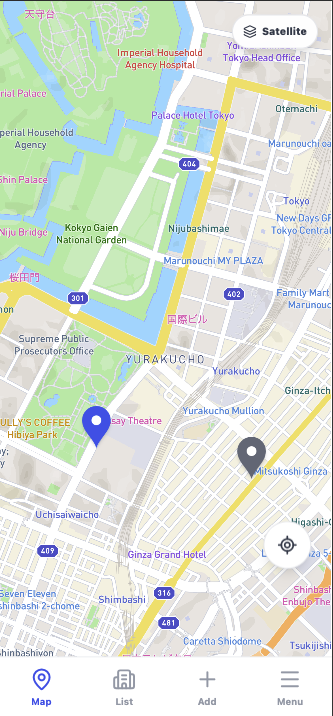
Features dual map modes designed for field sales. Switch to a lighter map on mobile devices to check your customers' locations instantly without lag.
Initiate calls, navigate routes, and log activities directly from the customer details screen. Minimize hassle during field operations.
Check revisit dates, status, and deadlines at a glance. Prevent drop-offs by keeping track of who needs to be visited next.
Visualize unassigned clients, your own targets, and next moves within the team. Prevent overlapping visits and streamline handovers.
Text-only lists make it hard to visualize physical proximity. Revisit decisions, route optimization, and client handovers easily become siloed and dependent on individuals.
It is easy to miss a nearby customer who could have been visited "on the way."
Without central logs, teams often make duplicate visits or neglect follow-ups.
| 1 | Company Name | Address | Assignee |
|---|---|---|---|
| 2 | Sato Shoji Co., Ltd. | Marunouchi 1-1, Chiyoda-ku, Tokyo... | Tanaka |
| 3 | Suzuki Construction | Shibakoen 4-2-8, Minato-ku, Tokyo... | Sato |
| 4 | Mirai Design Inc. | Jinnan 1-19, Shibuya-ku, Tokyo... | Takahashi |
| 5 | Yamada Real Estate | Nishi-Shinjuku 2-8, Shinjuku-ku, Tokyo... | Suzuki |
| 6 | Wellness Tokyo | Ginza 4-6-1, Chuo-ku, Tokyo... | Tanaka |
| 1 | Company Name | Address |
|---|---|---|
| 2 | Sato Shoji Co., Ltd. | Marunouchi, Chiyoda-ku, Tokyo... |
| 3 | Mirai Design Inc. | Jinnan, Shibuya-ku, Tokyo... |
| 4 | Yamada Real Estate | Nishi-Shinjuku, Shinjuku... |
Proximity is unclear...
"Missed visiting a customer nearby"
Failing to drop by nearby locations adds up over time.
Hard to keep track of follow-ups, leading to double visits or negligence.
If you manage sales operations with a target list of addresses, GoSul simplifies mapping and tracking.
Visualize previously visited land or vacant properties on a map. Easily plan your route and identify targets for re-approach when you are nearby.
Identify additional visit opportunities along regular routes. Check nearby existing customers to check in and increase follow-up frequencies.
Share visitation histories (e.g., No Answer, Rejected, Interested) across the team. Reduce double visits and align sales tasks.
Empower field teams to make decisions and log activities directly from their mobile devices.
Tap a pin on the map to review details and your next action. Initiate calls, get navigation, and log activities from a single screen—no more context switching on the go.
Tap a customer on the map to call, navigate, or log. Decide your next move instantly while in the field.
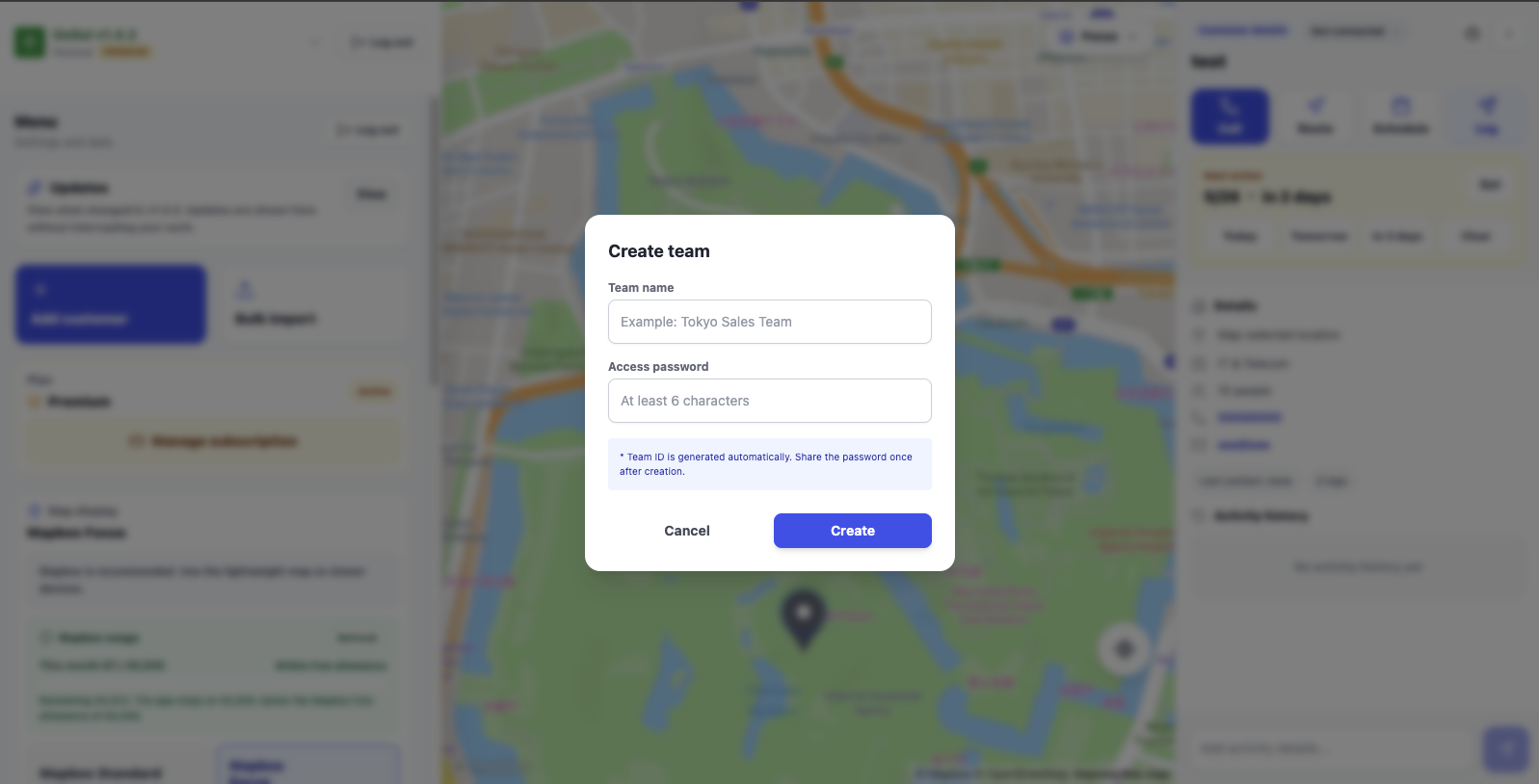
Toggle between individual sales lists and team-shared lists.
Easily track owners, unassigned prospects, and your own targets.
View assignees, unassigned clients, and your targets all in one place.
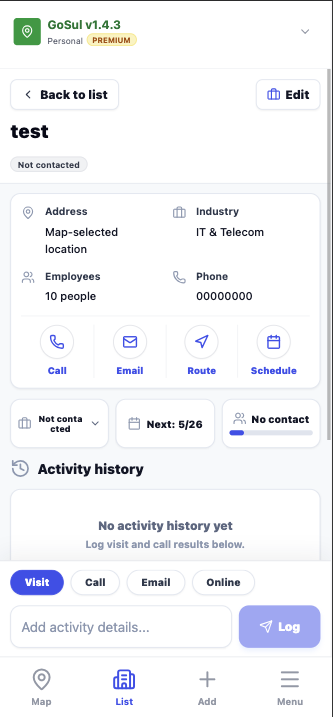
Customer details screen prioritizes calls, routes, logs, and next actions.
Complete your pre- and post-visit administrative tasks in seconds.
Execute calls, routes, and logs instantly.
View next actions at the top.
No need for complex app store installations. Simply "Add to Home Screen" from your mobile browser and start immediately.
Updates maps in real-time as team members log visits. Monitor field operations instantly.
Import customer lists with ease. Easily resolve duplicates by overwriting, registering separately, or skipping.
Filter targets by industry, status, assignee, or employee count—all optimized for mobile screens.
Access phone shortcuts, routes, and activity logs straight from the client details.
Supports high-definition global maps. Switch to a lighter mode on older devices for faster rendering.
Filter targets by assigned owner or unassigned status to organize your next moves.
Keep track of revisit dates (e.g., today, tomorrow, or in 3 days) prominently inside customer details.
No setup fees. Easily map your current customer list
and experience the usability first-hand.
For individuals getting started
Up to 3,000 records. Full features for team map sharing
Cancel anytime from billing settings in the app
Full features for team mapping
Billing settings in the app
Yes. If you log in to the same account on a PC and a smartphone, data is synchronized automatically. You can import customer lists on a PC in your office and view/log activities on your smartphone while in the field.
Yes. Your data is protected using SSL encryption and stored securely on cloud database servers. Within team sharing settings, no unauthorized members can view your customer details.
Once you exceed the Free Plan limit (30 records), you will not be able to create new pins (existing records will remain viewable). Upgrading to the Premium plan for $8 USD/month allows you to register up to 3,000 records.
Yes. While high-definition maps are used by default, you can easily switch to a lightweight map depending on your device performance or network speed. It is designed to work smoothly even under subpar connections.
You can manage or cancel your Premium subscription anytime from the billing settings inside the app. It links directly to Stripe's subscription portal, allowing you to self-manage billing settings.
Have more questions or need help setting up?
Contact Support →
Upload your Excel sheet or contact list to verify locations, plan revisits, and optimize route orders.
Easily transition from spreadsheet or manual map management.